
2.45–3.24s
NewJSONL support
Your CSV isn’t too big.
Your viewer is.
Open 10GB+ files and 100M+ rows. Search, filter, sort, analyze, and pivot instantly on your laptop.
Try it instantly. No card or account required.
- Windows & Linux
- From $29 once
- No telemetry
6.0 GBopened locally
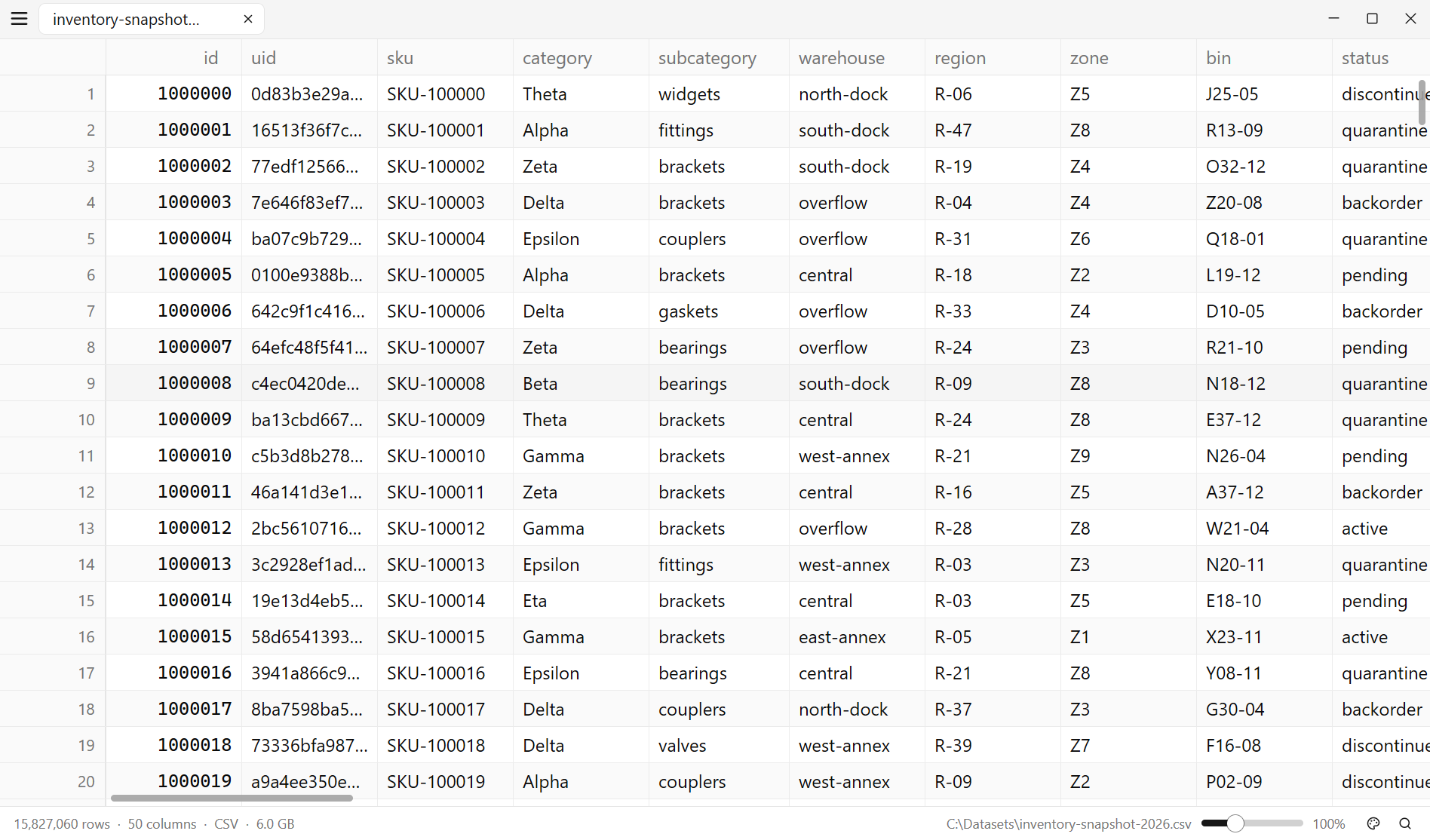
15,827,060rows ready
Ten gigabytes.
Seconds, not minutes.
Measured on an 11th Gen Intel i7 with 31.1 GiB RAM and an NVMe SSD. Each range runs from the warm-cache median to the cold-cache median across ten trials; filters and sorts include opening the file. View the full 1 MB–10 GB benchmarks Compare with Excel, pandas, DuckDB and more
analytics-
10gb.csv 10.0 GB · 52,720,416 rows · 15 columns
10gb.csv 10.0 GB · 52,720,416 rows · 15 columns
3.94–4.43s
Filter
Open + text filter across 10 GB5.38–6.44s
Sort
Open + date sort of every rowExcel’s worksheet stops at 1,048,576 rows.
On this 52.7-million-row CSV, a single Excel worksheet has room for about 2.0% of the rows. Every row remains available in the csvlite table.
Excel specifications from Microsoft ↗csvlite52,720,416
Excel worksheet1,048,576
Engine timings from a release build. Screen drawing is not included. Results vary with hardware and file shape.
Filter, analyze,
and summarize.
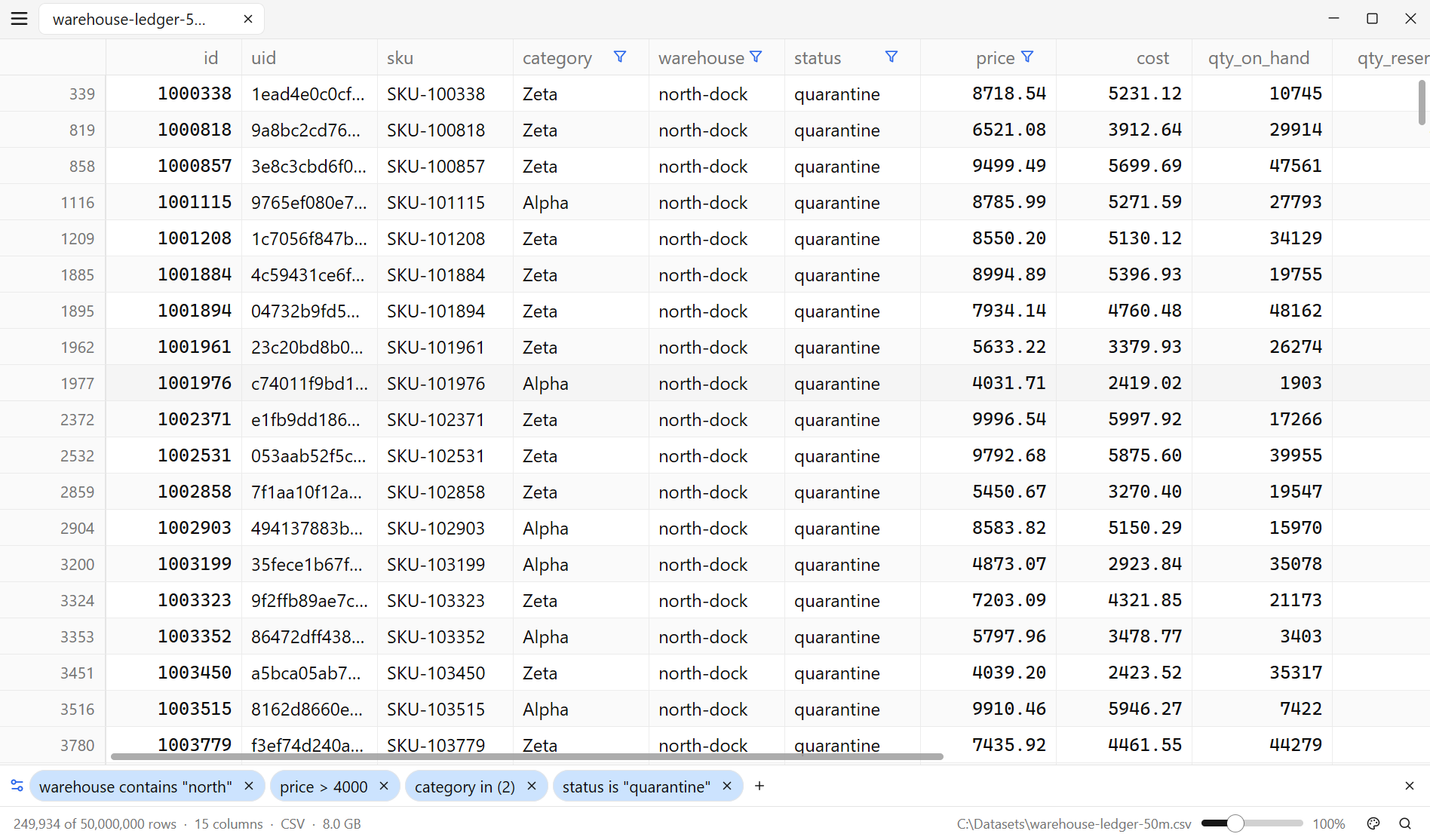
Filter 100 million rows.
Search the whole file or stack precise filters on individual columns. Results update as you type, with the surviving row count always visible.
- Text, regex, number, date, empty, unique, or duplicated
- Smart-case matching and in-cell highlights
- Combine as many column filters as you need
249,934 matches
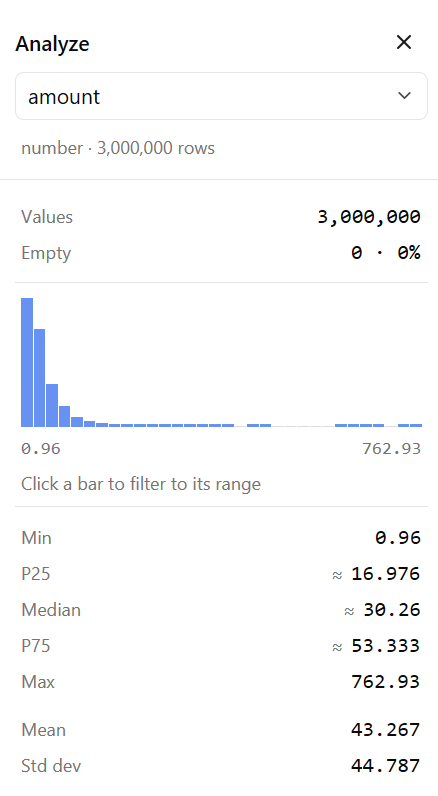
Understand a column at a glance.
Click any column to see the distribution, quality, and useful summary—not a sample, but the data in your file. Click any result to turn it into a filter.
Min, max, quartiles, mean, standard deviation, and histogram.
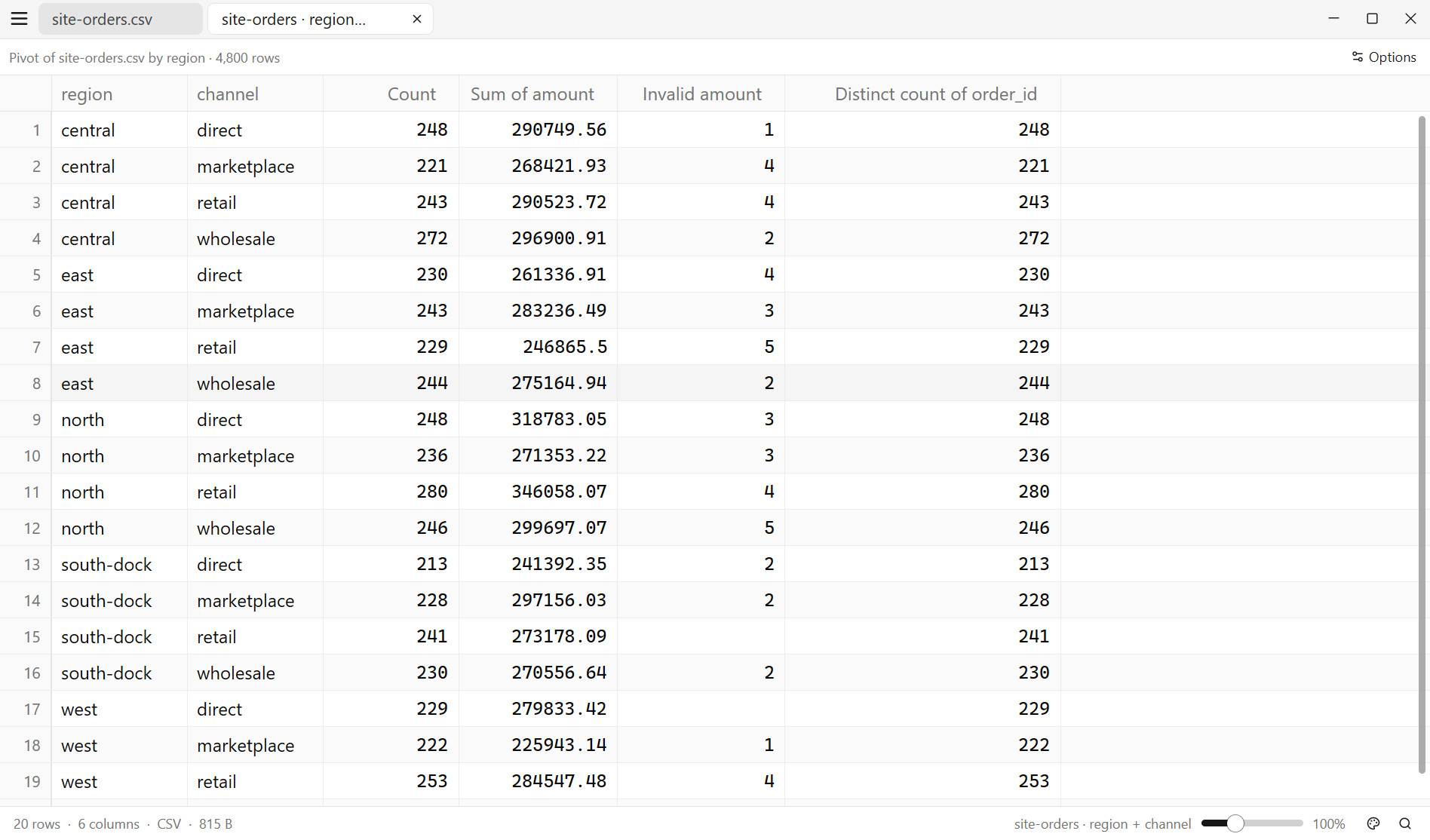
Group and aggregate without leaving the file.
Group by any columns, then count, sum, average, find min/max, or list distinct values. Your pivot opens in a new tab as a regular table.
- Sort, filter, profile, and export the result
- Identify invalid numbers
- Keep source and summary side by side in tabs
The details
matter, too.
Numbers sort like numbers.
Currency, percentages, thousands separators, and dates are understood while every cell still displays exactly as written.
Your data stays on your machine.
Read-only file access. No account. No upload. No telemetry. There is no network code in the app at all.
CSV, JSONL, TSV, pipes, and more.
Open delimited files or newline-delimited JSON. Delimiters are detected automatically, and messy rows are handled without drama.
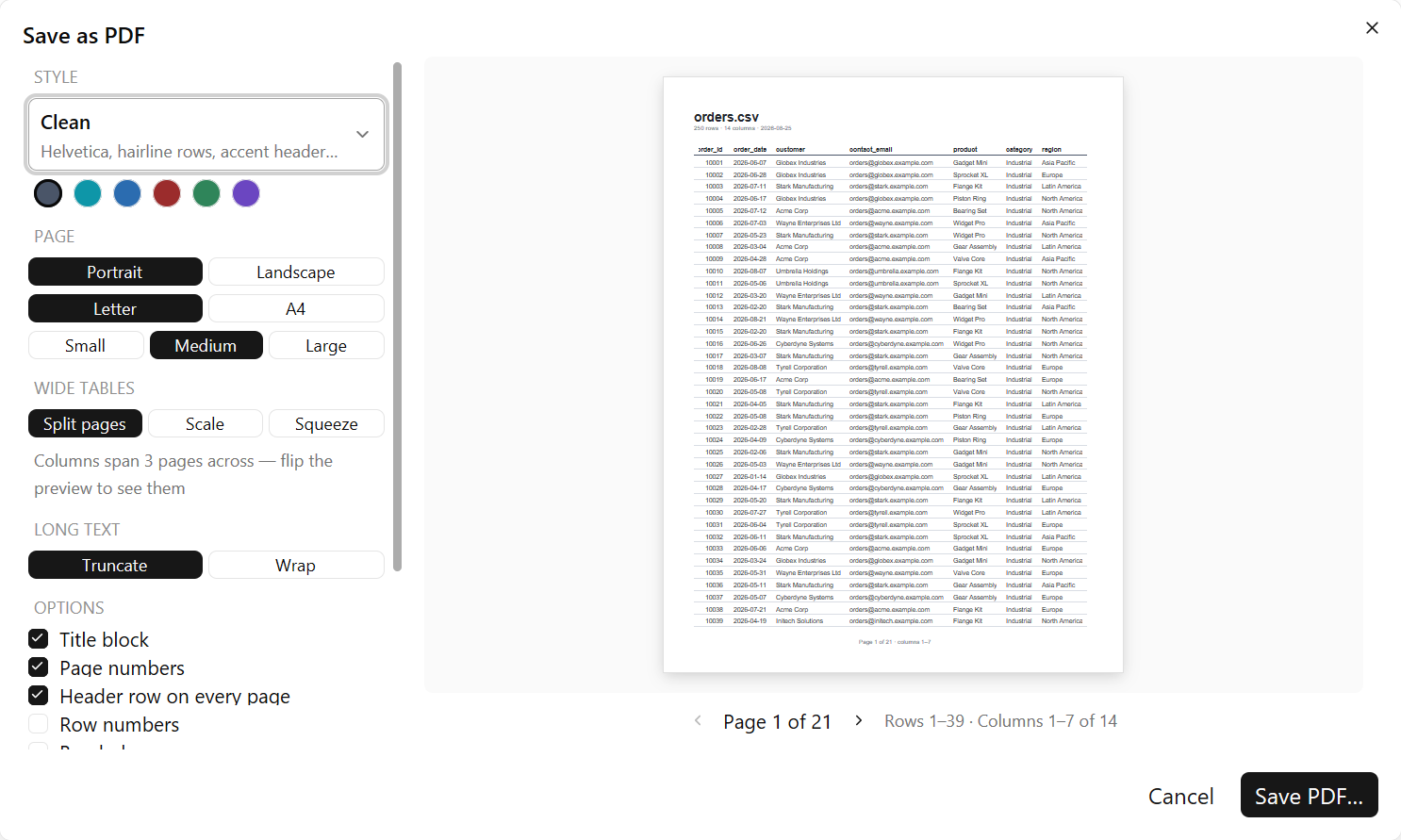
Export the view, or save a PDF.
Export your filtered view and column order straight to CSV. Paste selected cells into a spreadsheet. Save as PDF lays the same view out as a paginated document.
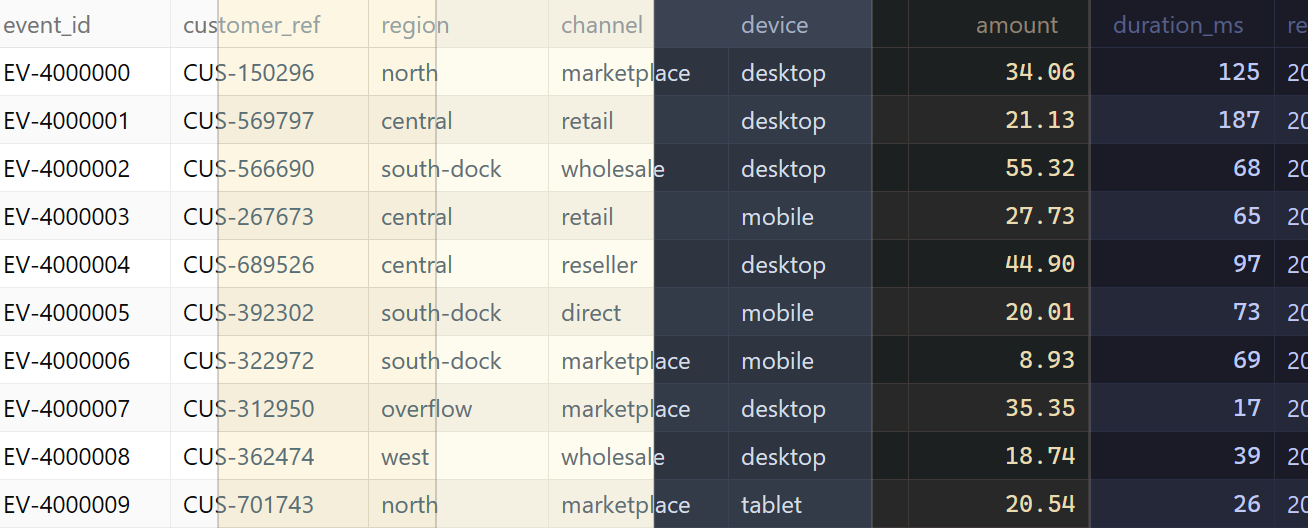
Themes and saved workspace state.
Light and dark themes, full-interface zoom, and automatic restore for your tabs, layout, filters, column widths, and scroll position.
Perpetual licenses.
From $29.
Buy the current major version once and keep using it forever. Every minor and patch release in that major version is included.
- Windows & Linux
- Every feature included
- Updates for the current major version
- Licensed versions work forever
Not sure yet? Try csvlite free for 30 days. No card or account required.